
PushWiki Com Review 2026: What It Is, Who Runs It, and Is It Safe?
Last updated: September 2026 | Written by: Areesha Fatima
PushWiki Com is a real site at push-wiki.com, with tech news, AI tool reviews and how-to guides. The name is a bit of a trap. It has nothing to do with Wikipedia, and you can’t edit anything there. Some review pages call it an SEO or blogging platform, but the homepage never mentions anything like that. Martin is named as the founder, a tech specialist with over four years in software. That’s all you get, though: no surname, no company, no photo, no profile to click.
Then there’s the bragging. The site says it tests things rigorously and has thousands of readers, and nothing public backs up either claim. So I’d read it for a quick background and leave it there. Anything about your money, your health or the software you install should be checked against the official source. If you want to test the site yourself, look up the domain on ICANN Lookup, go through the About and Contact pages, and search for Martin’s profiles. A new domain with a hidden owner is a reason to be extra careful.
Quick Facts About PushWiki Com
The table below separates what the homepage shows from what the site only claims.
| Detail | Finding | Status |
| Live address | push-wiki.com, with a hyphen | Seen |
| Site type | Tech and AI publication | Seen |
| Menu sections | Tech News, AI Tools, Reviews, How-to Guides | Seen |
| Founder | “Martin,” with 4 years in the software industry | Claimed |
| Target audience | American professionals and tech fans | Stated by the site |
| Legal pages | Privacy policy, terms of service, disclaimer | Seen in footer |
| Homepage date | Late May 2026 | Seen in page data |
| Company or owner name | None given | Not found |
| Reader numbers | “Thousands of readers” | Claimed, no proof |
| Testing method | Calls reviews unbiased and rigorous | Claimed, no method shown |
Which PushWiki Site Are You On?
Several pages online use the PushWiki name in different ways. Some call it an SEO and blogging platform. Others call it a lifestyle blog. Neither description matches the homepage at push-wiki.com. That page shows a tech and AI publication with four main sections. Some of these pages even admit that the descriptions conflict. Many seem to repeat each other instead of describing the live site.
How to Confirm You Are on the Right Site
Use these checks before you trust any page that carries the name.
- Read the address bar. The tech and AI site uses a hyphen between push and wiki.
- Look at the menu. You should see Tech News, AI Tools, Reviews, and How-to Guides.
- Open the About and Contact pages. A real publisher gives you a way to reach it.
- Watch for lookalike domains. Extra letters or different endings often point to other owners.
These steps take under a minute and prevent most mix-ups.
Is It a Real Wiki?
A wiki is a site where many users add and edit pages. Ward Cunningham built the first one, WikiWikiWeb, in 1995. Wikipedia, launched in 2001, made the format famous. The homepage here shows a different model. A named founder curates articles under fixed categories. It works more like a small magazine.
Do not expect edit histories, community review, or Wikipedia style citations. The homepage uses the phrase wiki style to describe its tutorials. That means short, step by step help pages.
READ MORE : MagzyMinutes.com Review 2026: Is It Legit and Worth Reading?
What PushWiki Com Publishes
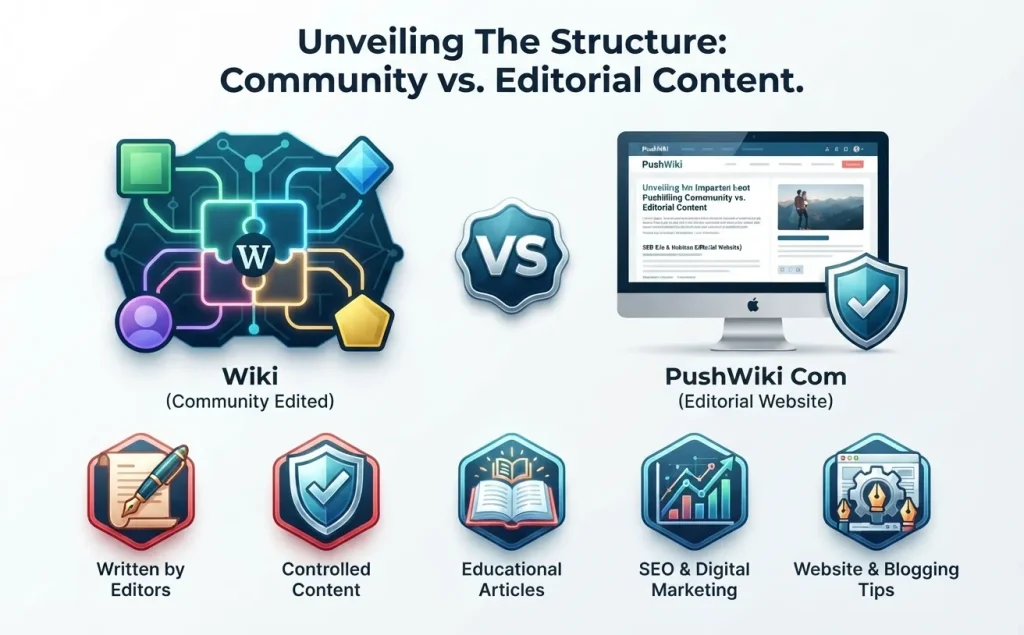
The homepage groups content into four sections. Recent posts in each one show the real scope of the site.
- Tech News: Posts such as a 6G rollout update for US cities and a Mars mission overview.
- AI Tools: Pieces on AI video editors, autonomous AI agents, and AI powered 3D design.
- Reviews: Hands on gadget reviews, including AR glasses. It also posts “is it legit” reviews of small websites like Snapjotz, Zavalio, Thesindi, and Quikconsole.
- How-to Guides: Topics such as modular laptop repairs, protecting brain data, and workplace rights.
The range is wide for a one person project. Gadget reviews sit beside workplace advice. Posts about jobs, money, or health carry higher stakes. Treat them as general information. Speak to a licensed professional before you act. Treat the verdicts on other websites as opinions, and run your own check.
Who Runs PushWiki Com?
The homepage credits a founder called Martin, a tech specialist with 4+ years in the software industry. That’s all it says. No last name, no company, no photo, no profile link.
Why does that matter? Google’s quality raters are told to look at who made a page and whether that person has real experience. Google calls this E-E-A-T: experience, expertise, authoritativeness and trust. One first name doesn’t tell you much about any of those.
To look deeper, try these steps:
- Run the domain through the ICANN Lookup tool. It shows the registrar and the creation date.
- Expect privacy masking. Many honest owners use it, so it is not a red flag alone.
- Read the About and Contact pages for a real email address or form.
- Search the founder’s name together with the site name for matching profiles.
A young domain with a hidden owner calls for extra care. It does not prove bad intent.
Is PushWiki Com Legit?
Legit has two meanings online. It can mean the site is real and not built to cheat people. It can also mean the content is accurate. Those are separate questions.
Signs in Its Favor
- The site publishes on a steady, focused topic: tech and AI.
- It links privacy policy, terms of service, and disclaimer pages.
- It names a founder and offers Contact and About pages.
- The homepage shows no payment demand, sign up wall, or download prompt.
Open Questions
- No full name, company, or business address appears on the homepage.
- The homepage date points to May 2026, so the site looks young.
- Claims of unbiased, rigorous testing come with no published method.
- The homepage does not explain how the site earns money from reviews. The disclaimer page may cover this, so read it.
On surface checks, the site looks like a real small publisher. Reliability is a separate matter. It depends on each article.
Is PushWiki Com Safe to Visit?
Safe Site Versus Reliable Content
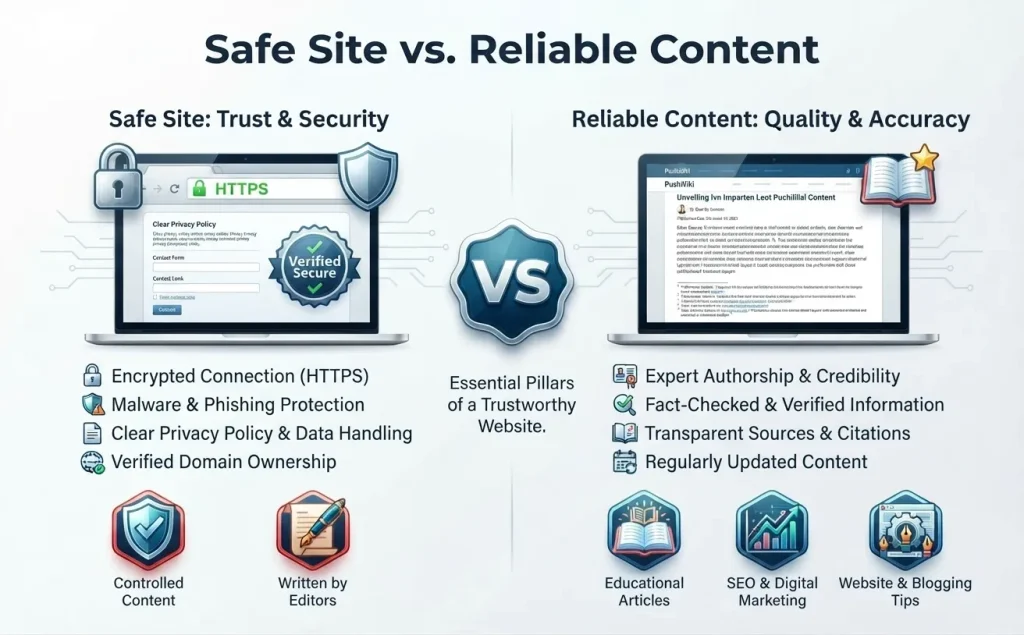
A safe site does not harm your device or steal your data. Reliable content gives you correct facts. A site can pass one test and fail the other. No scan can tell you whether a review is accurate.
READ MORE : Is BrumeBlog.com Legit in 2026? What I Found About the Site
Quick Technical Checks
The homepage loads over HTTPS. That encrypts the connection between you and the server. It is a baseline, not proof of trust. Criminals also use HTTPS, so a padlock alone means little.
For a stronger check, enter the domain in the Safe Browsing site status tool inside the Google Transparency Report. It shows whether Google has flagged the site for malware or phishing. Run it yourself, because results change over time.
Notification Prompts
The word push in the name worries some readers. Websites can ask to send browser notifications. Scam sites abuse this feature to flood you with ads.
I could not confirm how this site behaves in a live browser. Ad networks and devices change what you see. Test it in a fresh browser window. If a prompt appears, choose Block unless you want alerts.
To remove a past permission in Chrome, open Settings. Then go to Privacy and security, Site settings, and Notifications. Other browsers have a similar menu.
What to Keep Private
An information site has no reason to ask for card numbers, passwords, or ID details. Do not enter them. Do not download software from a review post. Get tools from the official vendor page.
How to Judge Any Article on the Site
The same checks work on every post. Use them as a quick filter.
- Date: Tech news ages fast. Skip posts without a clear date.
- Author: Look for a byline and a way to reach the writer.
- Evidence: Look for screenshots, prices, test steps, and dates of use.
- Specifics: Vague praise with no numbers or examples signals thin content.
- Primary source: Match key claims to the original. For 6G, check 3GPP, the group that writes mobile network standards. The International Telecommunication Union also tracks 6G work. For AI tools, read the vendor’s pricing and terms pages. For workplace advice, ask your labor agency or a licensed attorney.
Posts that pass these checks are worth reading. Posts that fail still work for ideas, but not for decisions.
How to Check Any Small Website in Five Minutes
This routine works on any unfamiliar site, not just this one.
- Read the exact address. Compare it with the brand name letter by letter.
- Look up the domain with the ICANN Lookup tool. Note the creation date and registrar.
- Check the Safe Browsing status in the Google Transparency Report.
- Open the Internet Archive’s Wayback Machine. A site that changed topics often deserves doubt.
- Search the author and company name for real profiles.
- Check one claim against a primary source.
The US Federal Trade Commission also publishes plain guides on spotting online scams. They help when a site pushes you to pay or share data.
Pros and Cons
The table below sums up the main points in this review.
| Pros | Cons |
| Clear tech and AI focus | Owner identity stays thin |
| Free to read, with no sign up wall seen on the homepage | Testing and reader claims lack proof |
| Privacy, terms, and disclaimer pages in the footer | Young site with little track record |
| Plain language topics | Broad range, including job advice |
| Practical how to guides | Reviews of other sites are opinion |
Who Should Use It and Who Should Skip It
Good Fit
- Readers who want a quick, plain overview of a tech or AI topic
- Shoppers who want ideas for tools to research further
- Anyone who wants search terms for a deeper look
Better to Skip
- Anyone who needs medical, legal, or financial guidance
- Researchers who need cited, peer reviewed sources
- Buyers who plan to spend money based on one review
Frequently Asked Questions
What is PushWiki Com?
It is a tech and AI publication at push-wiki.com. It covers news, AI tool reviews, gadget reviews, and how to guide. The homepage credits a founder named Martin.
Is PushWiki Com a real wiki?
No. A real wiki lets many users edit pages, as Wikipedia does. This site publishes articles under a single curator. Wiki style refers to short, step by step guides.
Is push-wiki.com safe to open?
Surface checks show no clear warning signs, and the homepage uses HTTPS. Still, run a Google Safe Browsing check yourself. Block notification prompts and avoid entering personal data.
Who owns the site?
The homepage names Martin as founder. It gives no company name or last name. An ICANN lookup may show registration details, though privacy masking is common.
Does it send push notifications?
The homepage does not say it does. Any site can ask for permission. If a prompt appears, choose Block.
Is it free?
The homepage shows no paywall or sign up requirement. Check the live site before you rely on that.
Final Verdict
PushWiki Com looks like a real, small tech and AI publication. A founder who gives only a first name runs it. Surface checks show no clear scam signs. Evidence of deep expertise and real testing is missing. Use the site to learn about a topic or find terms to search. Confirm facts with the original source before you buy, install, or decide anything. Repeat the safety checks now and then, because site behavior and safety ratings change.